
is my internet ok right now
and where is the problem?
From your LAN ISP Internet.
Catch 3-second glitches
before they ruin your day.
curl -fsSL https://raw.githubusercontent.com/jasondcamp/pingway/main/install.sh | bash
the toolkit
1-second monitoring
Green LAN + red Internet?
It's your ISP, not your WiFi.

Loss Inspector
Timestamps 2-second loss bursts. Receipts for your ISP ticket.
Honest speed tests
Download, upload, and latency under load. No fake numbers.

Outage log
Start time, end time, and duration. Know exactly when it went bad.
Kiosk mode
Wall-mounted Pi? Big, clean status that never sleeps.

Tiny. Simple. Local.
~22MB container.
SQLite database.
No cloud. No bloat.
Just your data.
Synthetic call probe NEW
"We deprioritize ICMP" — not this time. Pingway streams RTP-shaped UDP to a reflector outside your network, so it measures what a real video call experiences: freezes counted in milliseconds, jitter, and a MOS score — the telecom industry's own quality metric — quantifying how the line is degrading. A timestamped network record that helps ISP support isolate the fault. The far end is a reflector — use the free public ones, or host your own in 30 seconds.
2.5ms jitter
37.5% loss
3.1ms jitter
38.1% loss
3.3ms jitter
37.6% loss
the reflector — your own far end
The call probe needs something outside your network to bounce off — reflecting off your own router only proves your LAN works. The reflector is a tiny, stateless UDP echo: use the free public fleet, or drop your own on any VPS. Every packet crosses the exact path that breaks — your access link, your ISP, the internet — and comes straight back.
- safe on a public IP — an HMAC handshake proves each sender's address, so spoofed traffic never earns a single echo toward a third party.
- no amplification — every reply is byte-for-byte the request, never bigger. Rate-limited per source and globally.
- featherweight — zero per-client state, ~9KB/s each way per monitor. The smallest droplet you can rent is overkill.
- use two — a near and a far reflector separate access-link problems from general internet weather. The public fleet covers both US coasts plus Europe.
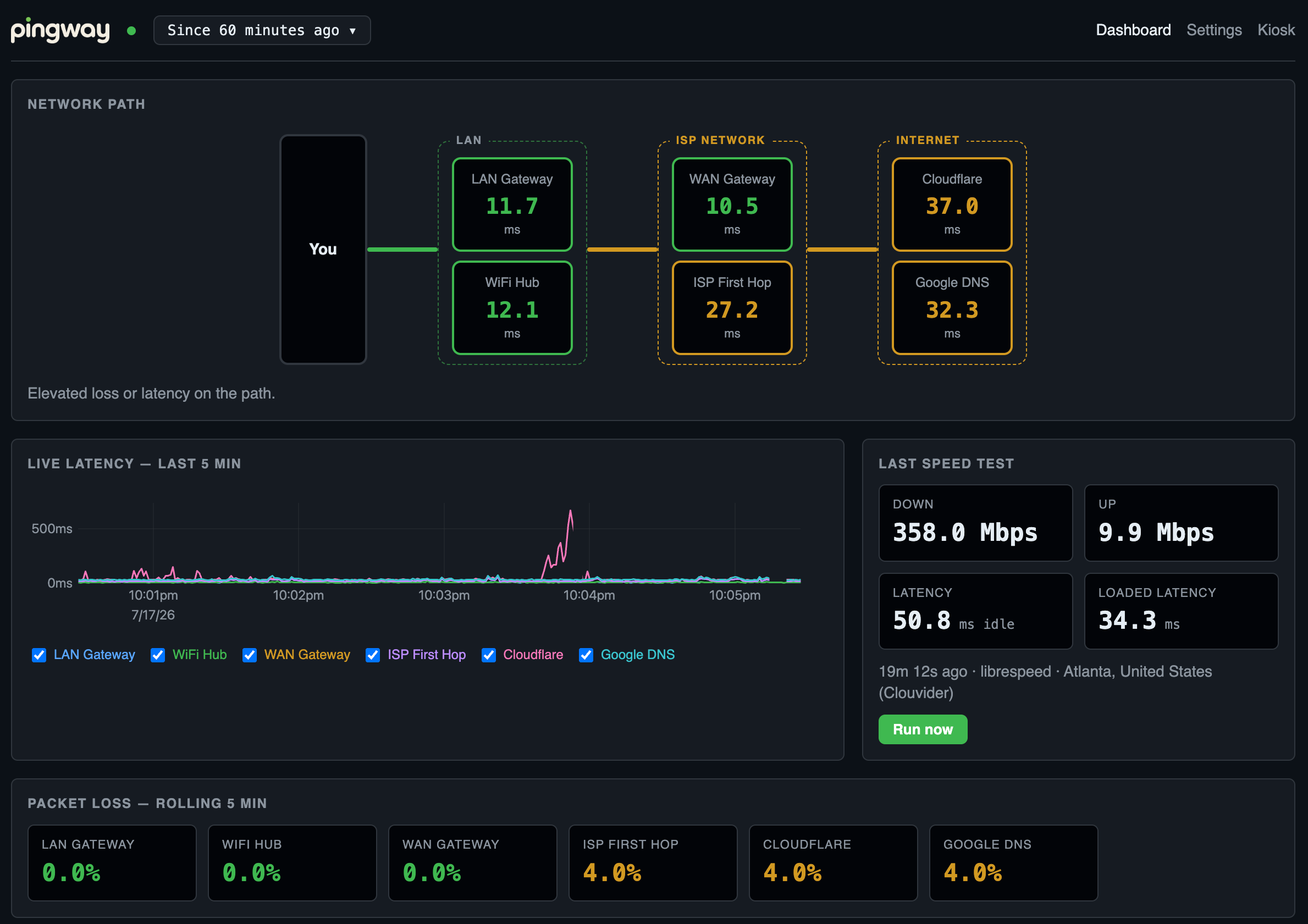
how pingway sees your network
 LIVE
LIVE
answering fast
slowing down or dropping packets
real trouble
read it top to bottomleft to right — the first hop that changes color is where you start investigating.
get up and running in 30 seconds